

Building an Agentic Design Workflow with Claude Code for Ultumus
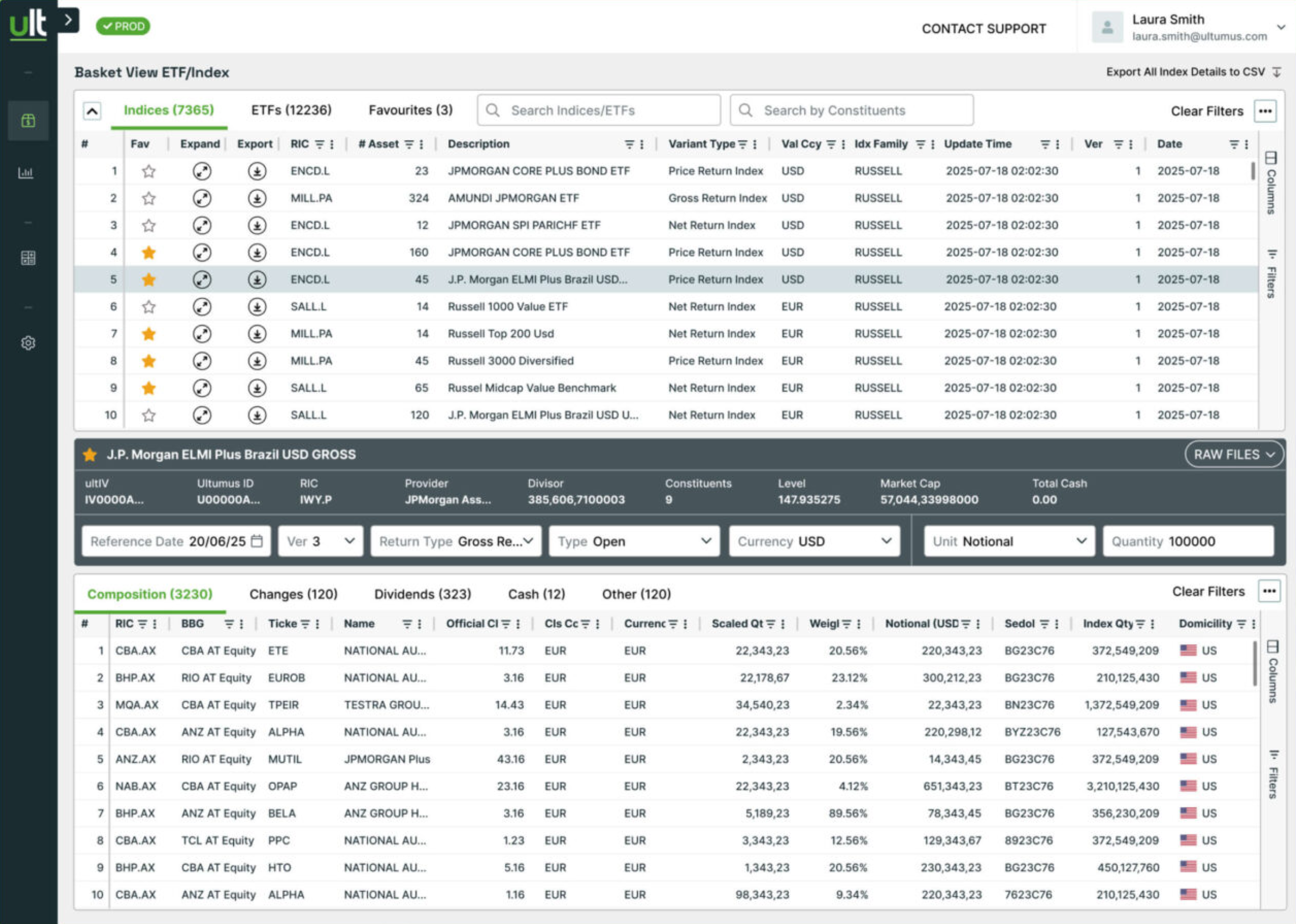
During recent work with Ultumus, a SIX Company and an industry leader in the ETF/Index market data space, 28Stone's UX designer tried a different approach. Our objective was to design and release ATLAS, Ultumus' game-changing data platform, to unify current service offerings and enable rapid product innovation going forward. Standard design and development processes at Ultumus were not sufficient to achieve the time-to-market goals we faced.
Instead of designing each screen, our designer encoded our Figma design system so that an AI agent could read it and build the screens itself. That single change moved work up a level. The designer stopped being the person who makes every output, and became the person who builds the system that generates them. For that to work, the design system had to stop being a reference a human interprets and become knowledge a machine can execute.

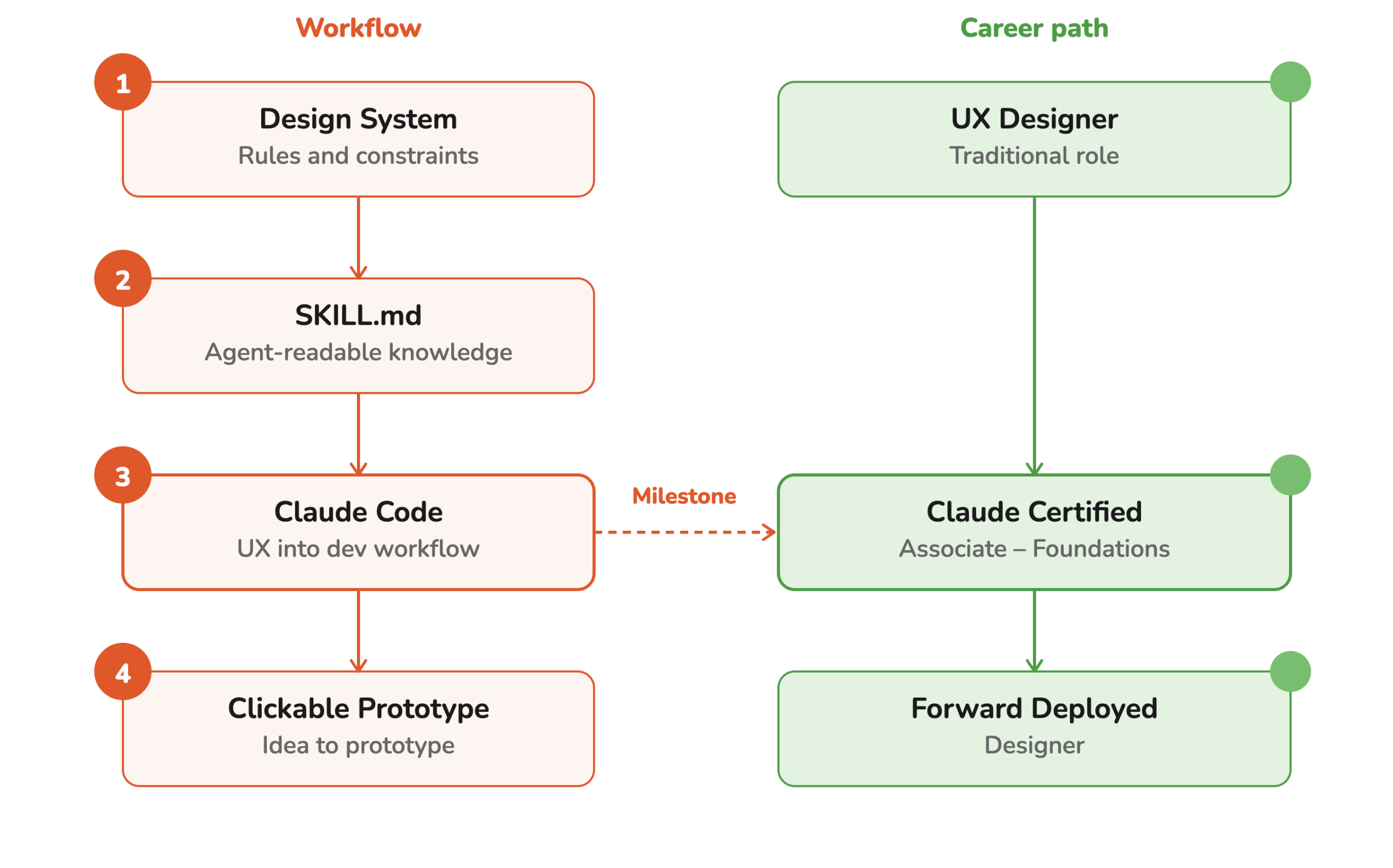
Our UX Designer Transformed into a Forward Deployed Designer, a Powerful shift!
The hardest part for a UX designer is understanding how design knowledge from Figma could be translated into reusable instructions that an AI agent could understand and apply. This changed the role of the designer in a fundamental way. The designer role shifted from creating every individual output to creating the system, rules, and context that let AI agents and non-design professionals — like Executives, Product Owners, or Business Analysts — make outputs themselves, which is a very powerful shift.
This new role as design system creator needed not only the skills to understand how a human developer explores designs and creates code from it, but also an understanding of how an AI agent interprets design systems. As a creative thinker, this meant a big shift for our designer to a more structured approach to preparing the design system.
A key part of this was using semantic design tokens and descriptive naming structures for components. Instead of using hardcoded color values and random component names, we defined meaningful naming conventions which gave AI agents additional context that communicates meaning and helped them interpret intent.
This helped us prepare a design file that functions almost like a structured language. Components, variants, properties, tokens, and naming conventions all contribute metadata that helped Claude Code understand the relationships between different parts of the interface. It helped transform the Figma file into a more machine-readable representation of the design system.
We learned that this is especially important when AI is used to generate new screens, modify existing interfaces, or explore UX alternatives by non-designer professionals like Product Owners or Business Analysts.

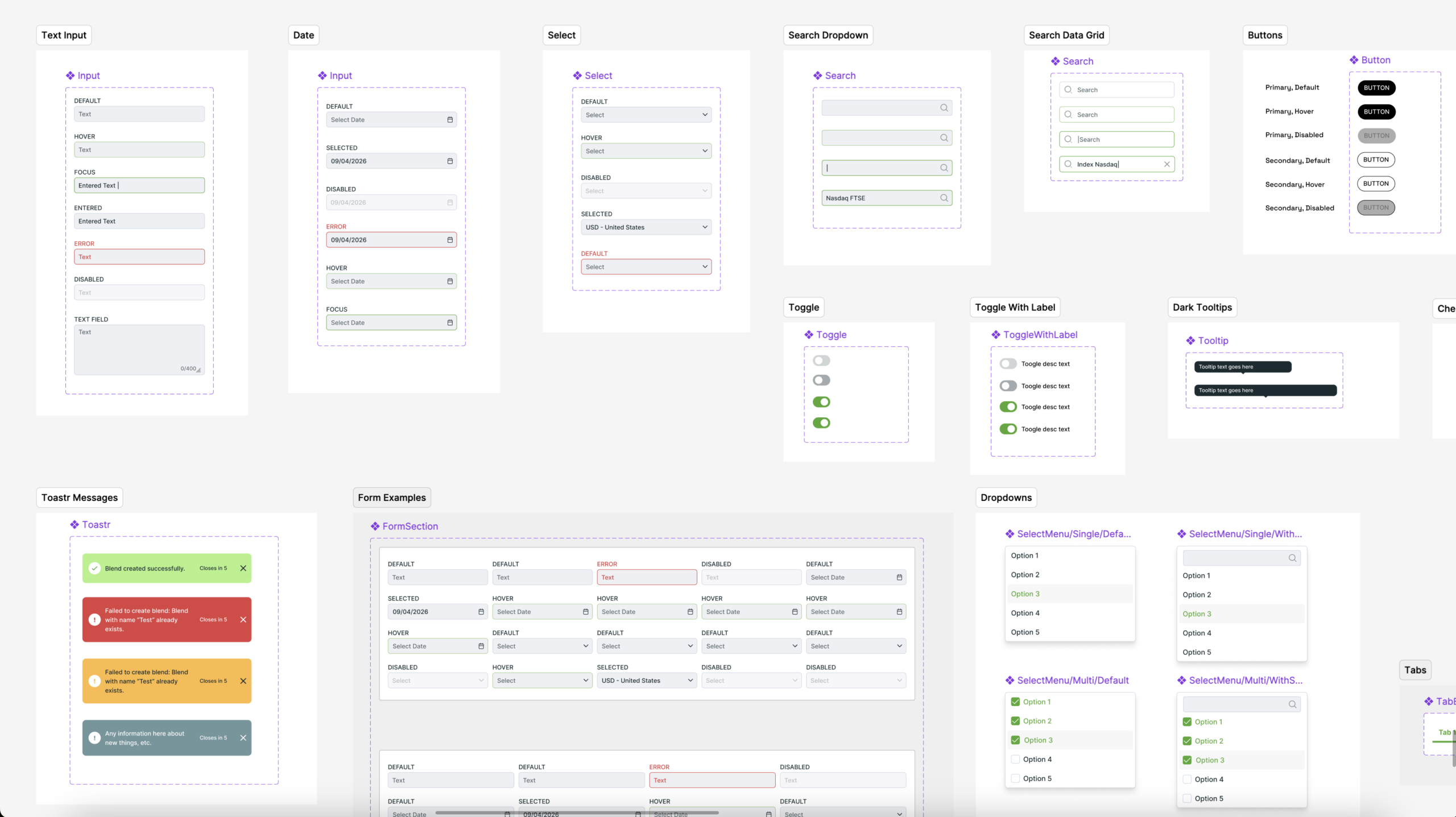
From design files to agent-readable design knowledge
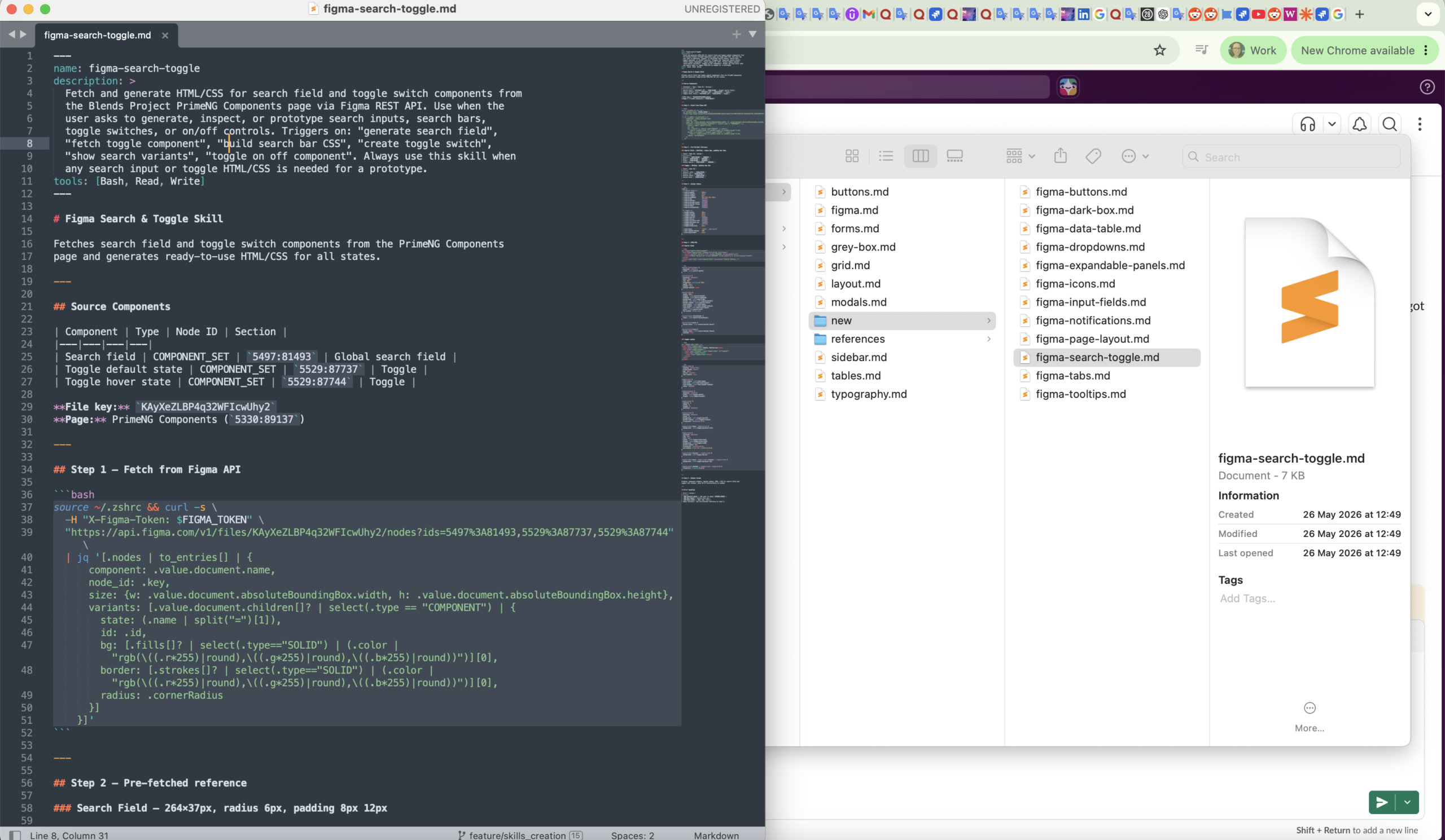
In the process of making an AI agent read the design system and act on it directly, the most challenging part as a Forward Deployed Designer was learning an entirely new file format designed specifically for AI agents: the "SKILL.md" file. These files provide structured instructions and context that AI can understand and use to produce real, clickable HTML prototypes.
Even more challenging for a non-developer designer's mind was learning how to establish a connection between Figma and the AI agent using the MCP integration. This created a direct link between the design system and the development environment, allowing Claude Code to work with the actual design components and design rules directly.
With this setup, we were able to instruct Claude Code to transfer the design system from Figma into structured SKILL.md files, while also creating a clear folder structure for different UI patterns—for example, forms.md, buttons.md, and other component-specific skills.
This approach helped turn the design system into structured, reusable knowledge that AI could understand and apply directly during the development of new clickable prototypes, and that could be used effectively by a Product Owner to test their product ideas within the project's styling guidelines.
From feature idea to clickable prototype
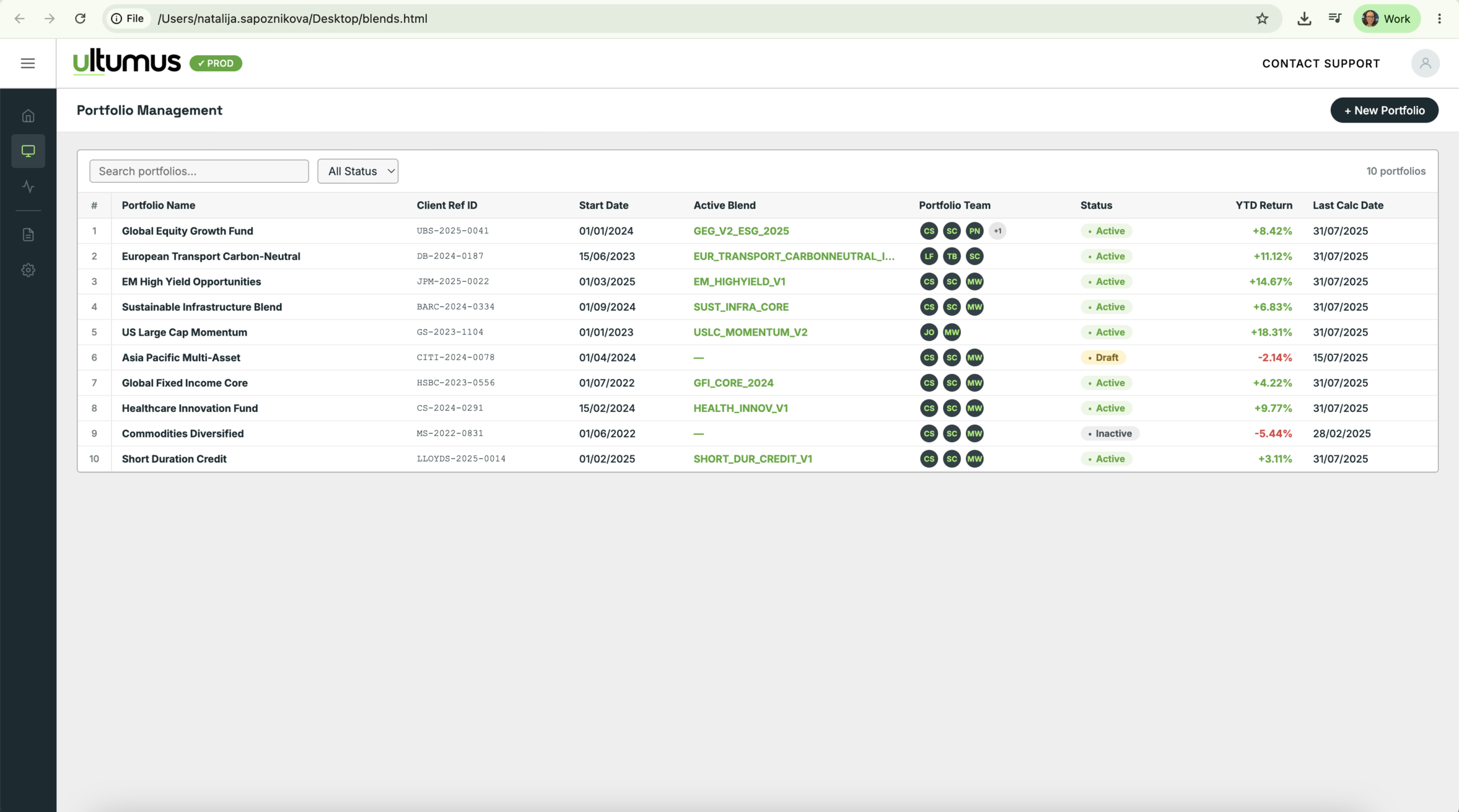
The most interesting part was seeing what happened when this workflow was used to create new features in the form of clickable prototypes. With the design system and its rules available to Claude Code, the agent could generate clickable prototypes while working within the established visual language.
There were still plenty of imperfections. The output wasn't automatically production-ready, and humans still needed to review, correct, and refine the designs. But the workflow demonstrated something that we found much more interesting than simply generating UI with AI. This workflow remains the standard way the Ultumus team prototypes new ATLAS features.
The AI agent wasn't just generating random interfaces. It was generating interfaces within a design system the designer had established. The UX designer role shifted from creating every individual output to creating the system, rules, and context that could guide many future outputs, which would help professionals experiment with more UX and product ideas.

Results at Ultumus


