
Forward Deployed Designer: Building Agentic AI UX/UI Workflows with Claude Code — From Designer to Claude Certified Associate
I'm Natalja Sapoznikova, Senior UX/UI Designer at 28Stone. For years my job was to produce designs, screens, components and layouts that a developer would translate into code. During my recent work with Ultumus, a SIX Company and an industry leader in the ETF/Index market data space, I tried a different approach. Our objective was to design and release ATLAS, Ultumus' game-changing data platform, to unify current service offerings and enable rapid product innovation going forward. Standard design and development processes at Ultumus were not sufficient to achieve the time-to-market goals we faced. This agentic workflow is now in production: it's how the Ultumus product team designs and prototypes new features for ATLAS today. Using Claude, we achieved Ultumus' goal of delivering ATLAS to the market faster than we ever thought possible.
Instead of designing each screen, I encoded our Figma design system so that an AI agent could read it and build the screens itself. That single change moved my work up a level. I stopped being the person who makes every output and became the person who builds the system that generates them. For that to work, the design system had to stop being a reference a human interprets and become knowledge a machine can execute. Getting it there is what the rest of this piece is about: exploring the new UX workflow, deepening my understanding of Claude, and ultimately becoming a Claude Certified Associate.


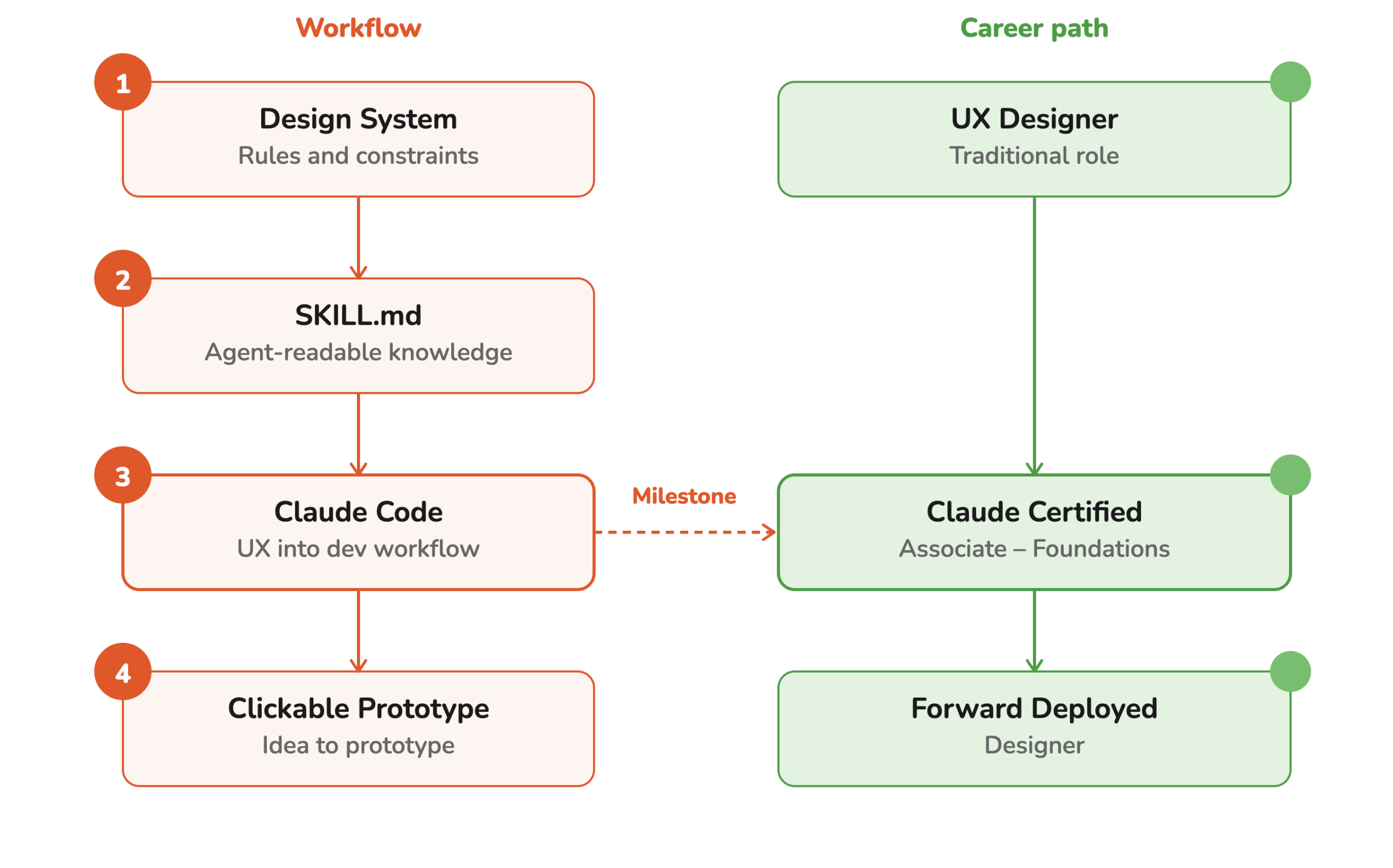
My role changed from UX Designer to Forward Deployed Designer, a Powerful shift!
The hardest part as a UX Designer on the Ultumus project was understanding how design knowledge from Figma could be translated into reusable instructions that an AI agent could understand and apply. This changed my role as a designer in a fundamental way. My role shifted from creating every individual output to creating the system, rules, and context that let AI agents and non-design professionals at Ultumus— like Executives, Product Owners, or Business Analysts — make outputs themselves, which is a very powerful shift.
My new role as design system creator needed not only the skills to understand how a human developer explores designs and creates code from it, but also an understanding of how an AI agent interprets design systems. As a creative thinker, this meant a big shift to a more structured approach to preparing the design system.
A key part of this was using semantic design tokens and descriptive naming structures for components. Instead of using hardcoded color values and random component names, I defined meaningful naming conventions which gave AI agents additional context that communicates meaning and helps them interpret intent.
This helped me prepare a design file that functions almost like a structured language. Components, variants, properties, tokens, and naming conventions all contribute metadata that helps AI understand the relationships between different parts of the interface. It helped transform the Figma file into a more machine-readable representation of the design system.
On the Ultumus project I learned that this is especially important when AI is used to generate new screens, modify existing interfaces, or explore UX alternatives by non-designer professionals like Product Owners or Business Analysts.

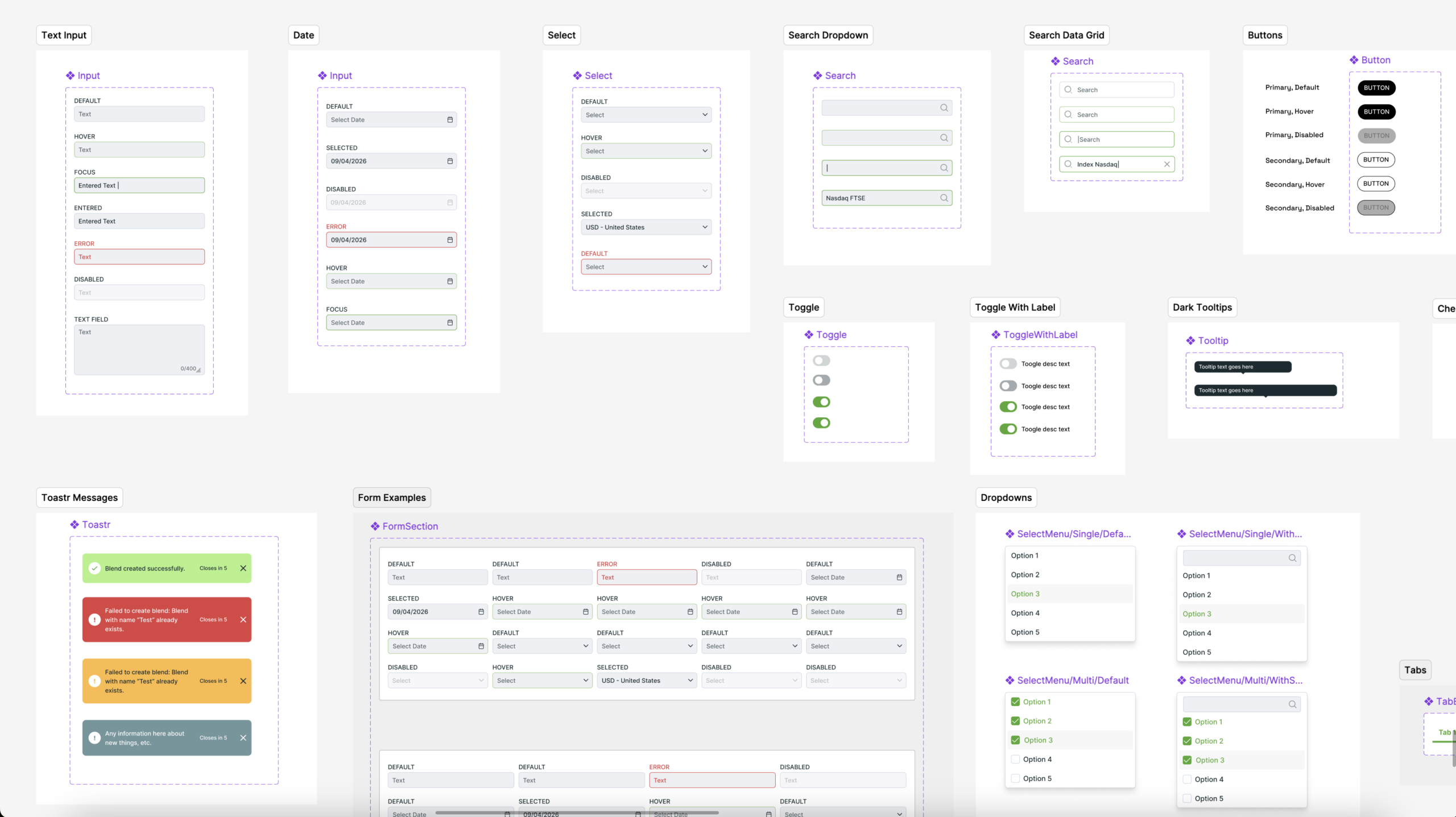
From design files to agent-readable design knowledge
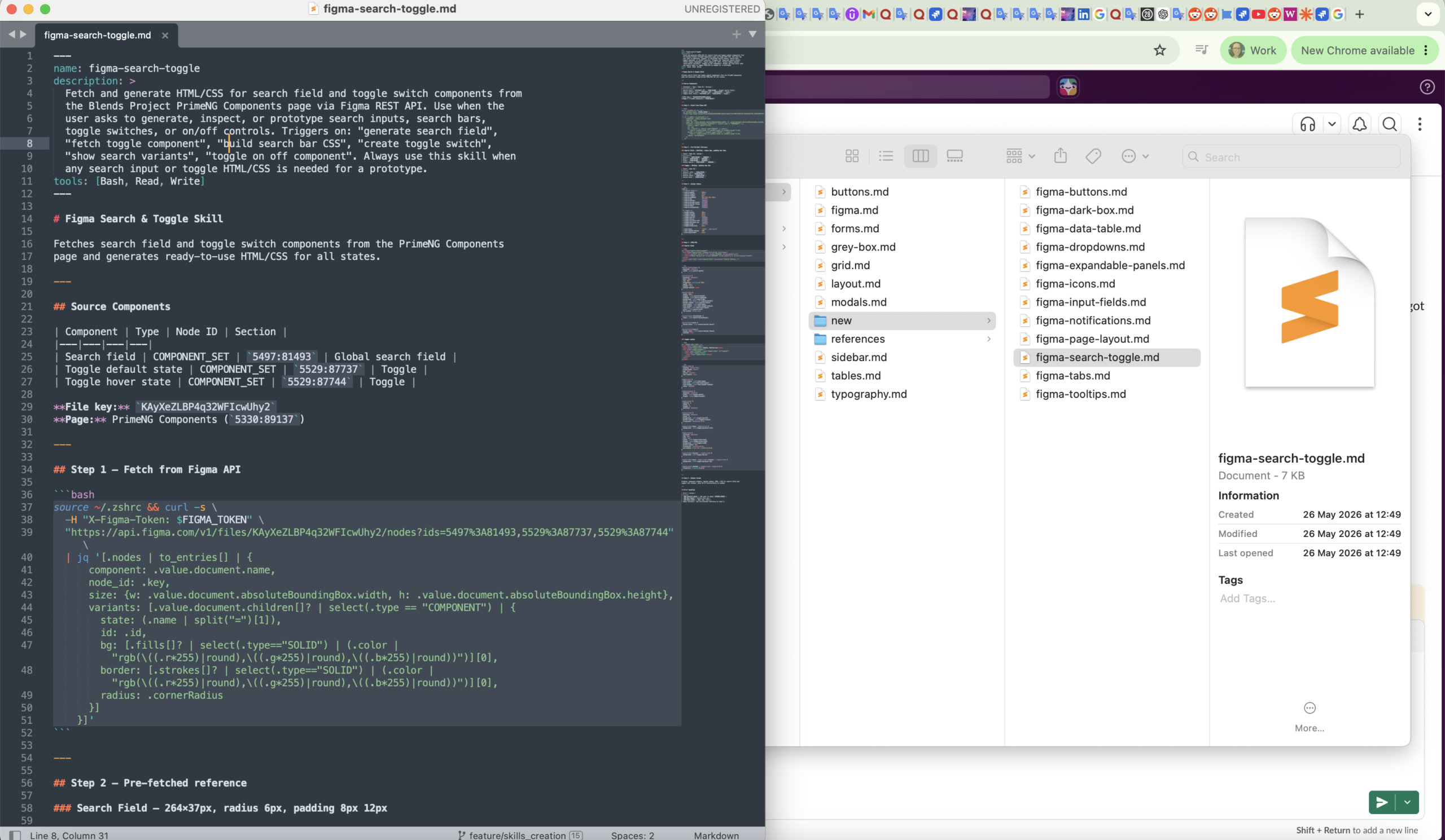
In the process of making an AI agent read the design system and act on it directly, the most challenging part for me as Forward Deployed Designer was learning an entirely new file format designed specifically for AI agents: the "SKILL.md" file. These files provide structured instructions and context that AI can understand and use to produce real, clickable HTML prototypes.
Even more challenging for my non-developer designer's mind was learning how to establish a connection between Figma and the AI agent using the MCP integration. This created a direct link between the design system and the development environment, allowing Claude Code to work with the actual design components and design rules directly.
With this setup, I was able to instruct Claude Code to transfer the design system from Figma into structured SKILL.md files, while also creating a clear folder structure for different UI patterns—for example, forms.md, buttons.md, and other component-specific skills.
This approach helped turn the design system into structured, reusable knowledge that AI could understand and apply directly during the development of new clickable prototypes, and that could be used effectively by a Product Owner to test their product ideas within the project's styling guidelines.
From feature idea to clickable prototype
The most interesting part for me was seeing what happened when this workflow was used to create new features in the form of clickable prototypes. With the design system and its rules available to Claude Code, the agent could generate clickable prototypes while working within the established visual language.
There were still plenty of imperfections. The output wasn't automatically production-ready, and I still needed to review, correct, and refine the designs. But the workflow demonstrated something that I found much more interesting than simply generating UI with AI. Additionally, the workflow was adopted by the Ultumus product team for production use. As stated earlier, it is the process Ultumus uses to design new features for their customers today.
The AI agent wasn't just generating random interfaces. It was generating interfaces within a design system I had established. My role shifted from creating every individual output to creating the system, rules, and context that could guide many future outputs, which would help professionals experiment with more UX and product ideas.

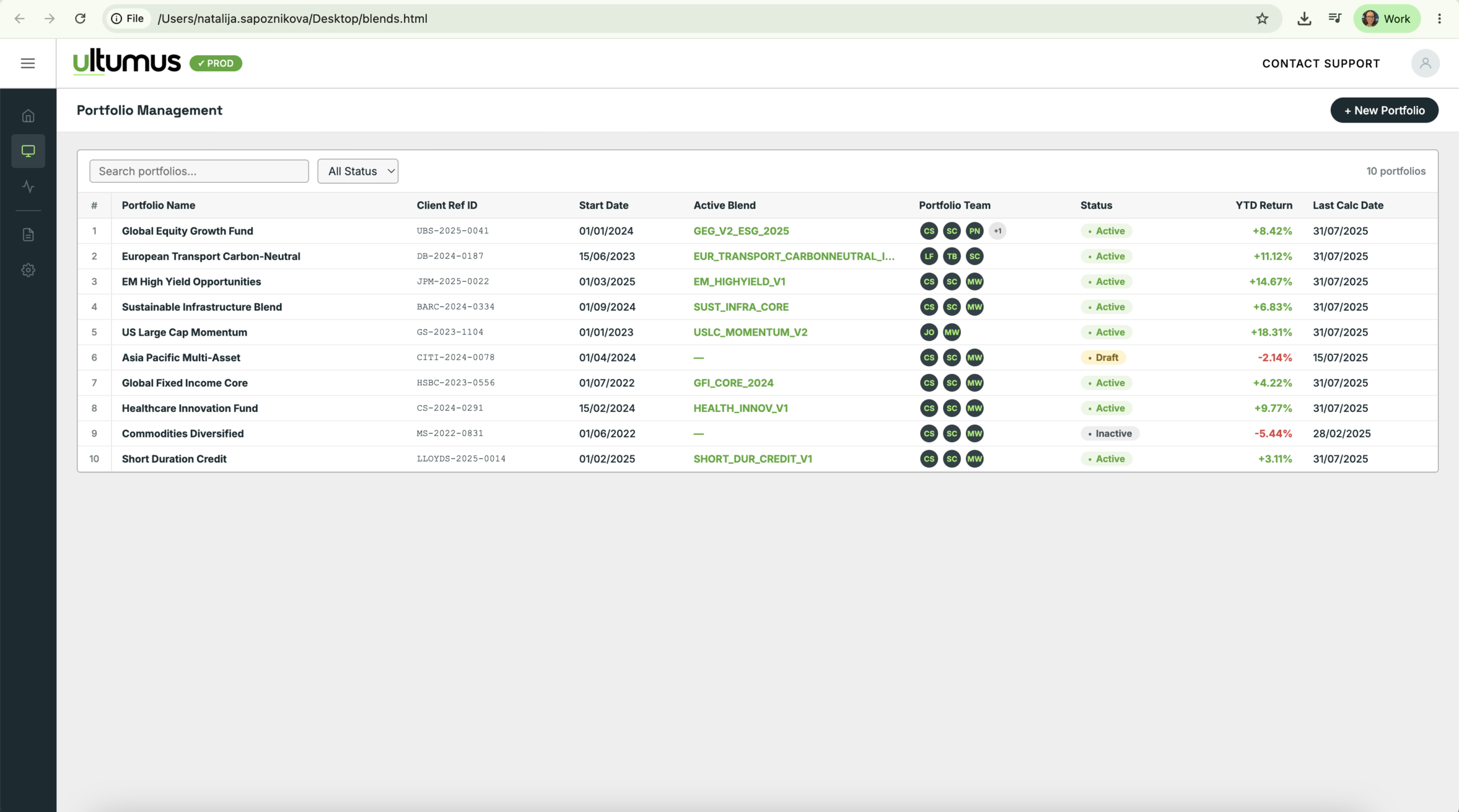
Results at Ultumus


Turning a Design System into AI-Powered Content: Presentations, Collaterals, Social Media, and Whitepapers with Claude Design
Alongside my work on the Ultumus project, I was also presented with a different task: creating a design system for in-house 28Stone sales visual materials. Keeping up with the growing demand for visual materials was a challenge, as production depended heavily on the design team's capacity. But after creating a workflow to connect the design system with Claude Design, 28Stone Executives and Sales Managers — with the help of an AI agent — were able to generate new presentations, social media posts, and other sales materials within the 28Stone branding system without full participation of the design team.
As part of the AI workflow, I created the master design system to define the shared visual language for all visual materials at 28Stone. Then I created template examples for presentations, collaterals, social media posts, and whitepapers to give the AI context on how to apply the visual rules.
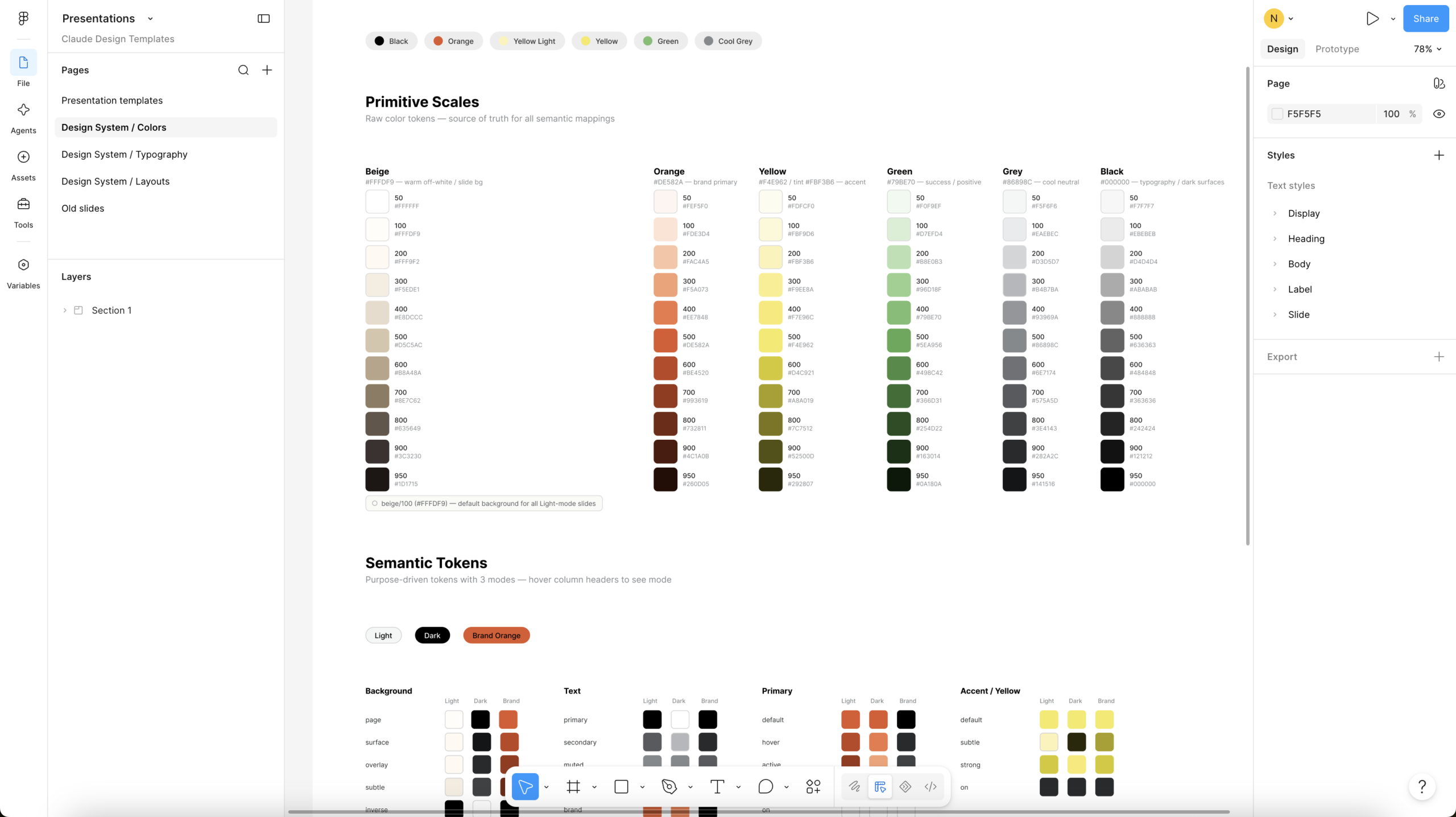
Translating design knowledge into agent-readable context
Then I brought the design system knowledge into Claude through a "SKILL.md" file containing the 28Stone brand guidelines, using an MCP server connection.
It was amazing to see this shift: the design system was no longer only something a human designer could inspect and interpret visually. Its rules were also made available to an AI agent, which could use them while making design decisions.

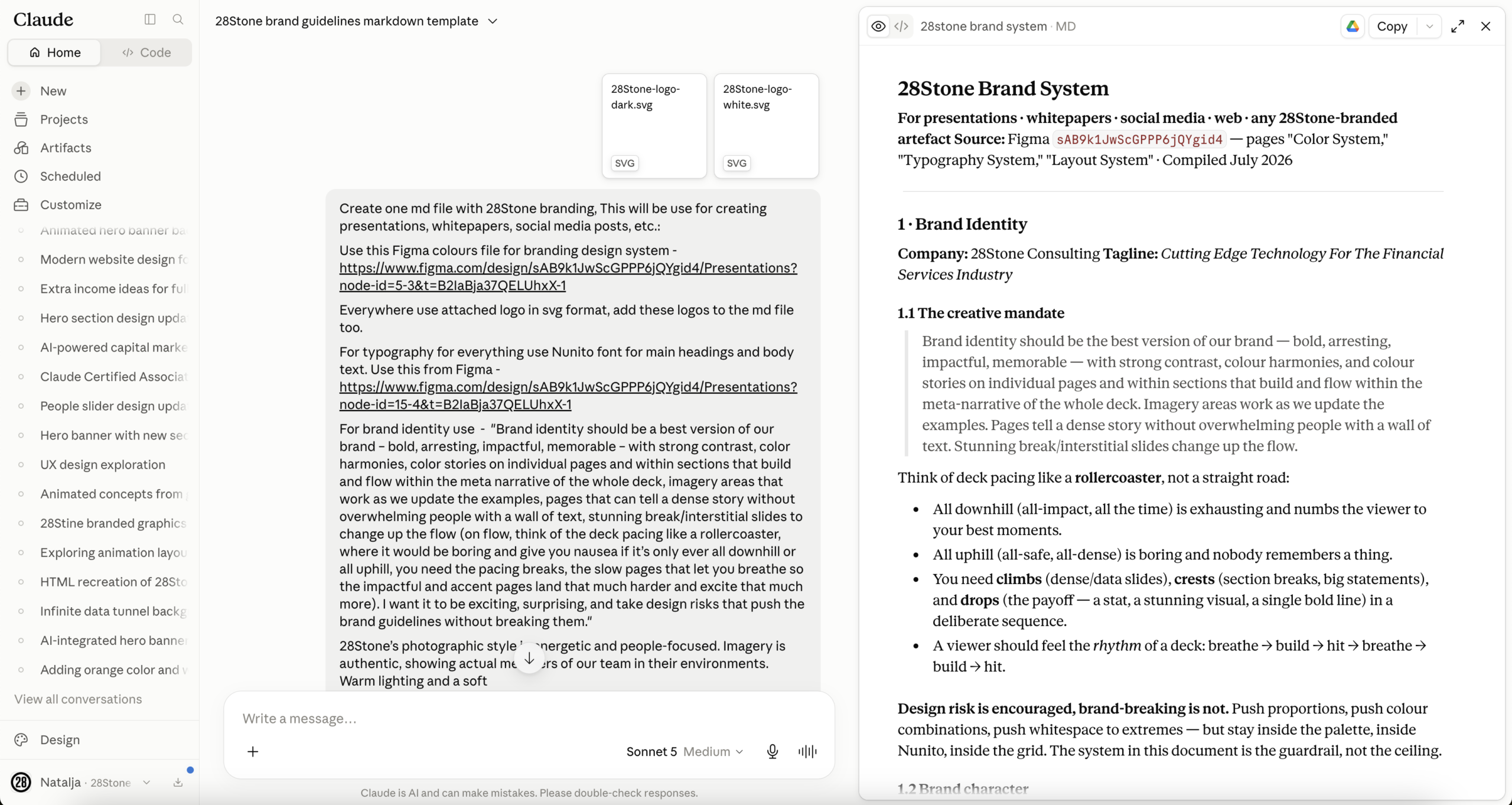
Creating specialized agents for custom design outputs
After creating one AI brand design system for everything, I created separate design systems in Claude Design for each content type: Presentations, Collateral, Social Media Posts, and Whitepapers. Each specialized design system combined the shared brand rules with the specific requirements for every format.
For example, a presentation requires specific slide composition rules. A social media asset needs different constraints around hierarchy, attention, and format. A whitepaper requires a system for longer-form editorial layouts.
This is where the workflow becomes genuinely agentic: the AI doesn't operate with one enormous, generic set of instructions. It operates with a specialized context appropriate to the task it has been given.
Giving agents template examples, not just rules
Finally, I uploaded examples of layouts for each content type. That meant each agent had access to two different forms of design knowledge:
Rules: What the brand system allows and requires.
Examples: How those rules can be applied in real layouts. This combination is important. Brand guidelines alone can tell an agent what not to do, but examples help it understand how good design decisions look in context.
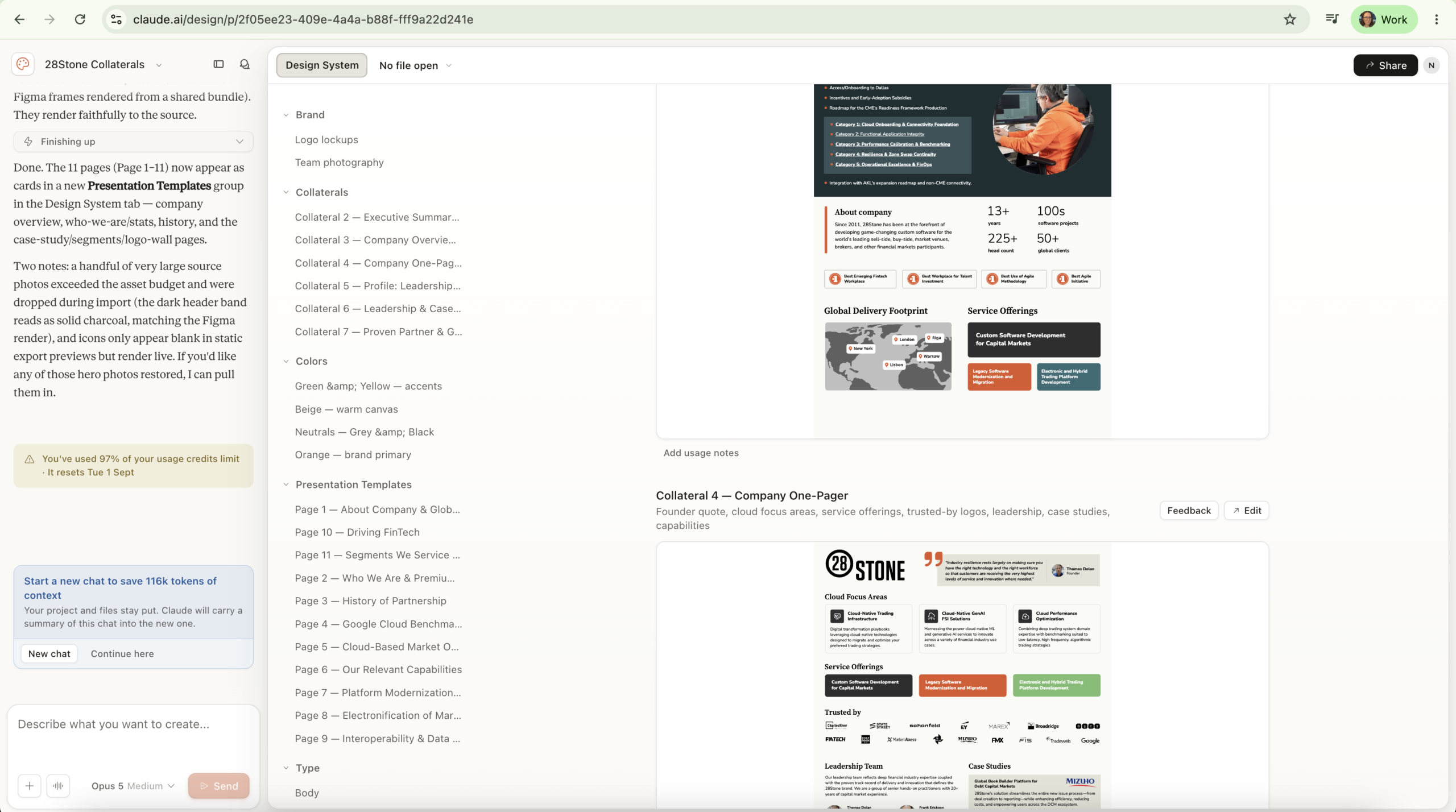
It was amazing to see how visual AI agents, trained by me, were able to create sales presentations and social media designs while following the design rules I had established as a visual designer. Even more amazing was seeing how other people in the company, such as sales managers and the executives, could give tasks to the AI agent and create presentations using the visual rules I had defined as a designer.
Yes, there are still a lot of errors and inconsistencies that AI agents can make when creating design materials, but it’s a big step forward to see how they can already work with and create visual materials.
AI isn't replacing the design process. It's changing where designers spend their time. Turning a design system into code, creating prototypes and handing work over between teams used to take days and now takes minutes. That leaves designers more time for the work that needs human judgement: understanding users, shaping product direction and making decisions that a model can't make alone. The teams that benefit most will be the ones that treat AI as a working partner, with clear guidelines, good context and a person checking every result.


